Important Questions: Class 10 Computer Science

Important questions class 10 computer revision is different from other subjects, because the paper tests three things at once: exact definitions, logical problem-solving, and the ability to write or trace a program correctly. Students who only read about programming score poorly, while students who write small programs by hand every day build the fluency the exam rewards. The chapters teachers commonly emphasise include computer systems and data, problem-solving and algorithms, programming basics, control structures, and data handling, and each chapter produces its own question types. This guide organises those chapters by priority and explains how to prepare each type, from definitions to dry runs. It is general revision guidance only, not a leaked paper, and every program or definition should be checked against your textbook and the [solved notes](/solved.html) on this site, together with your [STBB books](/books.html).
How to Revise Computer Science
Revise computer science in two modes every day: reading mode for definitions and concepts, and writing mode for programs and traces. Reading mode covers hardware, software, data representation and networks, where the skill is stating definitions exactly and giving one example. Writing mode covers algorithms, flowcharts and code, where the skill is producing a correct solution by hand, because the exam is written on paper, not on a computer. Spend at least half your revision time in writing mode, tracing programs on paper and writing short programs from scratch, since reading code feels easy but writing code under pressure is the real test.
Keep a notebook with three sections: definitions, program patterns, and errors. The program patterns section should hold the standard solutions you meet most often, such as finding a maximum, calculating an average, or checking a condition in a loop, written in clean, general form. The errors section should record your own mistakes, such as off-by-one loop errors or missing semicolons in pseudocode, because these are the errors you will repeat unless you study them. The blog guides on this site explain the same notebook method for maths and science, and your class practical work is the best source of program examples.
- Split revision into reading mode for definitions and writing mode for programs.
- Write and trace programs by hand daily; reading code alone is not enough.
- Keep a patterns notebook and an errors notebook, and revise both weekly.
Computer Systems, Data and Networks
Systems chapters produce reliable short questions on hardware and software, types of computers, input and output devices, and memory, including the difference between primary and secondary memory. Learn each component with its function in one sentence, and be ready to classify devices and software into types, since classification questions are common and easy to mark. Data representation questions cover number systems, binary conversion, and units of data, and they reward careful working: convert step by step, show the remainders or place values, and check the result by converting back. Questions on data versus information, and on the data processing cycle, appear as short definitions and differences.
Networks and internet chapters test definitions and comparisons: types of networks, network devices, and uses and dangers of the internet, including safety and security basics. Learn network types with their coverage and one example each, and learn security terms, such as password safety and malware types, as short definitions with one precaution each. Questions on the uses of computers in daily life, education and business are answered best with three or four distinct uses, each with a brief example, rather than one long paragraph. Keep answers organised with clear points, because examiners award marks per point in these questions.
Problem Solving, Algorithms and Flowcharts
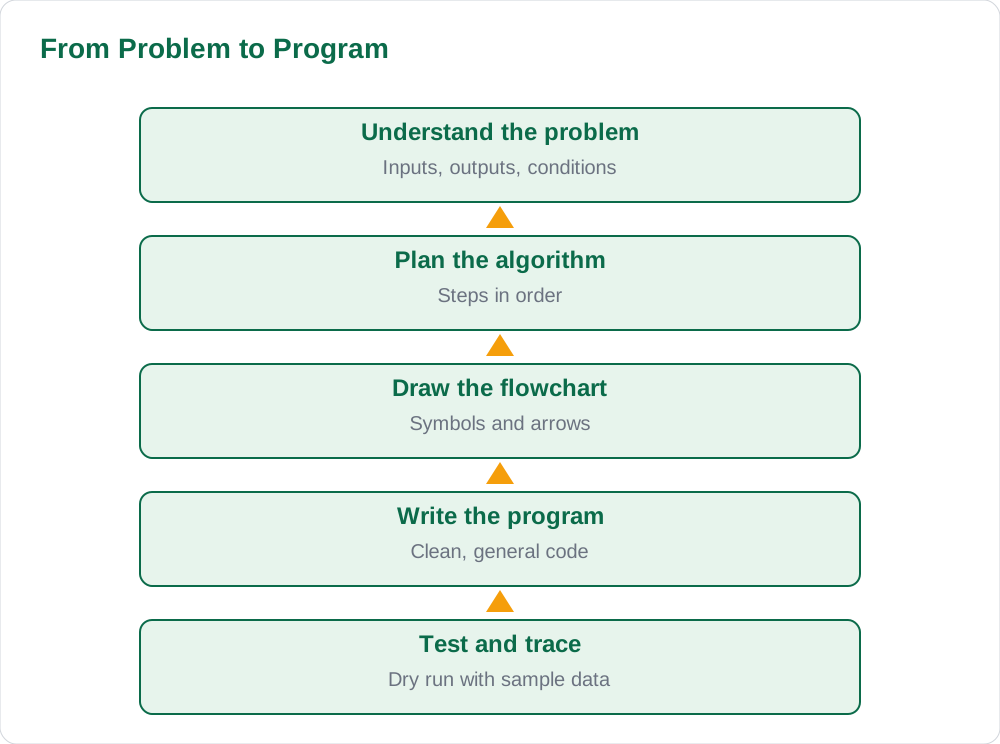
Problem-solving chapters test whether you can break a task into steps, and the standard question formats are writing an algorithm, drawing a flowchart, or tracing one. Learn the flowchart symbols exactly: oval for start and end, parallelogram for input and output, rectangle for processing, and diamond for decisions, because examiners check symbols as well as logic. When writing an algorithm, number the steps, keep each step to one action, and end with a clear stop step. Practise the classic problems, such as finding the largest of three numbers, calculating a sum or average, and checking whether a number is even, since new questions are usually variations of these patterns.
Tracing, or dry running, is the skill of following a program step by step with sample values and recording how each variable changes. Learn to make a trace table with one column per variable, and update it line by line without skipping, because most tracing errors come from rushing one line. Questions may also ask you to find the error in a given algorithm or flowchart, so practise reading a solution critically and asking what happens at each decision point. If a flowchart question gives a choice between drawing and writing, choose the format you have practised most, and keep your diagram neat with labelled arrows.
Programming: Basics and Control Structures
Programming chapters test variables, data types, operators, input and output, and the three control structures: sequence, selection and repetition. Learn each data type with an example value, and learn operator precedence well enough to predict the result of a short expression, since expression questions are quick marks. Selection questions use if and if-else structures, and the key skill is writing the condition correctly, including comparison operators and logical combinations. Repetition questions use loops, and the key skills are choosing the right loop, setting the correct starting value, and writing a stopping condition that actually stops.
Program-writing questions are the highest-mark items in this section, so practise writing complete short programs from a problem statement: read the problem, list inputs and outputs, write the steps, then write the code. Common program tasks include calculating totals and averages, finding maximum or minimum values, counting items that meet a condition, and printing simple patterns or tables. After writing a program, trace it with sample data to check it, because a traced program with one error found is worth more than an untraced program with one error hidden. Write code in clean, indented form even on paper, since readability helps the examiner follow your logic.
- Learn flowchart symbols exactly; examiners check symbols as well as logic.
- Trace with a table, one column per variable, updated line by line.
- After writing any program, dry-run it with sample data before moving on.
Data Handling, Files and Exam Technique
Data handling chapters cover arrays or lists, records, sorting and searching, and file concepts, depending on the syllabus, and their questions mix definitions with short programs or traces. Learn sorting and searching as step-by-step methods you can demonstrate on a small data set, because examiners often ask you to show the passes of a sort or the steps of a search rather than only naming the method. Record and file questions test definitions and differences, such as field versus record, and the uses of files for permanent storage, so learn them as exact definitions with one example each. Database basics, where included, test tables, keys and simple queries in the same definition-plus-example style.
On exam day, attempt definitions and short questions first to secure steady marks, then tackle program-writing questions with the time that remains. Read each program question twice and underline the inputs, the processing and the required output before writing anything, since most program errors come from misreading the problem rather than from coding weakness. Leave time to trace your programs once, and to check that every definition uses the exact term the question asks for. A paper with correct definitions, one working program, and one traced solution outscores a paper with three half-written programs, so finish what you start.
AI Help: Muse AI
Muse AI is Meta's personal AI assistant, and it can help you practise computer science by explaining a loop or condition in simple words. Ask it to walk through a short program line by line, then trace the same program yourself on paper before checking your table. Join Muse with invite code LTGSWD — in the Muse app, go to Settings > Redeem token and enter the code. Disclosure: LTGSWD is the author's Muse invite code. Muse AI does not give official STBB answers — always verify against your STBB book and your teacher. Always verify against your Sindh Textbook Board book and your teacher before using anything in classwork.
5 key points you must know
- Split revision into reading mode for definitions and writing mode for programs.
- Flowchart symbols matter: oval, parallelogram, rectangle and diamond each have one job.
- Classic program patterns repeat: maximum, average, counting and condition checks.
- Trace every program with a table, one column per variable, line by line.
- Attempt definitions first, then program questions, and trace before submitting.
Frequently asked questions
How do I learn programming for a written exam?
Write programs by hand every day, because the exam is on paper, not on a computer. Start from the classic patterns, such as finding a maximum or calculating an average, and practise writing each one from a problem statement without looking. After writing, trace the program with sample data in a table, since tracing finds the errors that reading misses.
What are the most important flowchart symbols?
The oval marks start and end, the parallelogram marks input and output, the rectangle marks processing, and the diamond marks a decision. Examiners check symbols as well as logic, so use each symbol for its own job and label arrows clearly. Practise drawing one flowchart per day until the symbols become automatic.
How do I avoid loop errors in programs?
Set the starting value, the stopping condition and the update step before writing the loop body, and then trace the loop with small sample values. Most loop errors are off-by-one mistakes or missing updates that cause infinite loops. A trace table with one column per variable shows exactly where a loop goes wrong.
Which computer science chapters carry the most marks?
Problem-solving and algorithms, programming basics and control structures, and data handling carry the most marks, because they combine definitions with program writing and tracing. Systems and networks chapters give reliable short questions, so cover them too, but give programming the most writing practice since it needs fluency, not just memory.
Is this guide a guess paper?
No, it describes the question types and chapters teachers commonly emphasise, such as definitions, flowcharts, control structures and program tracing. It does not predict or leak any exam paper, and no specific question is claimed to appear. Prepare from your textbook and class practical work, and use this guide to organise that preparation.
Solved notes — preview free
These guides work best with the solved exercises. Preview the solved notes free on this website — 119 solved notes for Classes 6–10 in Sindhi, Urdu, English and Arabic medium. Or browse the full solved notes catalogue for your class and medium. New solved notes are added regularly — check the catalogue for coming-soon books.