Building Programming Logic for Class 11 and 12 Computer Science
Strong class 11 12 computer science programming logic starts before you write code: draw a flowchart, build a trace table, and think through the program step by step. Many students type code first and then wonder why it does not work. This guide reverses that habit. It shows you how to plan the logic on paper, test it by hand, and only then write code that you already understand.
Think First, Code Second
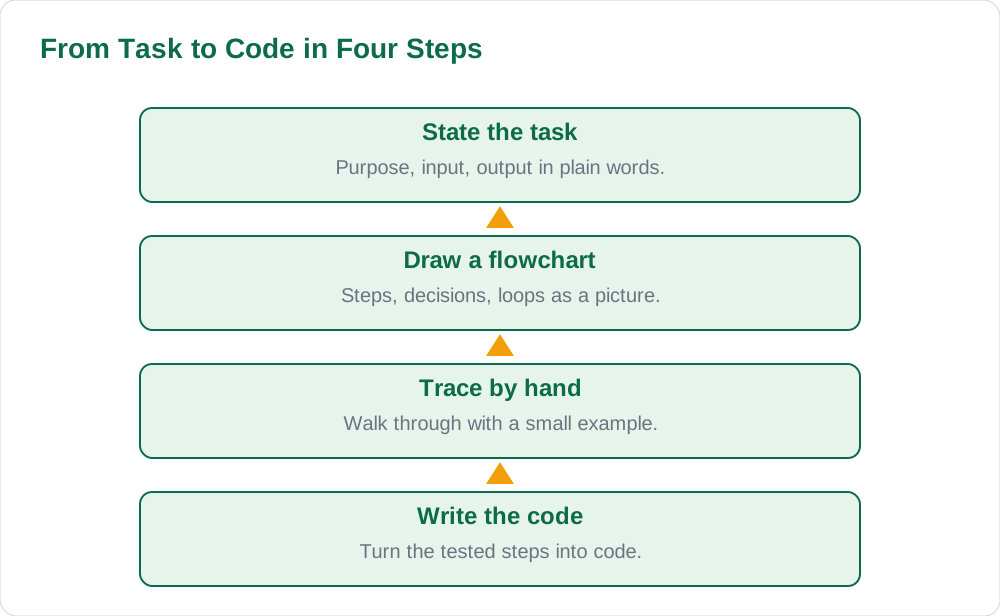
A program is a set of steps that takes input, processes it, and gives output. Before you write any code, you should be able to state those steps in plain words. What does the program take in? What does it do with the input? What should it give out? If you cannot answer those three questions, you are not ready to code. Writing code before you can answer them usually leads to guessing, patching, and frustration.
Planning on paper feels slower, but it saves time overall. A five-minute plan can prevent thirty minutes of debugging. Start with a one-sentence purpose for the program, then list the steps in order, then check the steps with a small example. Only when the steps work on paper should you turn them into code. This think-first habit is the single most useful skill in school computer science, and it carries into every programming language you will meet later.
- State the program purpose in one sentence.
- List the steps in order in plain words.
- Test the steps with a small example before coding.
Draw a Flowchart to See the Logic
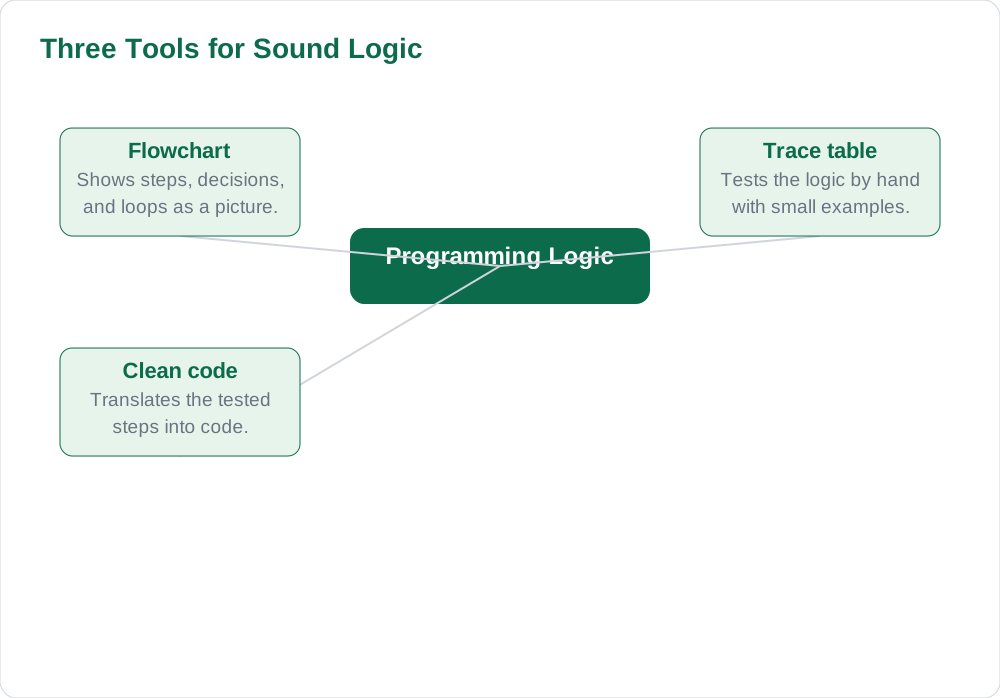
A flowchart shows the logic of a program as a picture. Start with the beginning, then show each step as a box, each decision as a branch, and each loop as a path that repeats. The picture makes the flow visible: you can see where a decision splits, where a loop repeats, and where the program ends. If the flowchart is confusing, the logic is confusing, and you should fix the flowchart before you write code.
Keep flowcharts simple. Use clear labels for each step, show the condition on each decision branch, and make sure every path reaches an end. A flowchart for a simple task, such as finding the larger of two numbers, has only a few shapes: start, read the numbers, compare them, show the larger one, stop. If you can draw that cleanly, you can draw harder flowcharts too. Check your flowchart against the task in your Sindh Textbook Board books so the steps match what the question asks for.
Use Trace Tables to Test Logic by Hand
A trace table is a hand-run of your program. Make a column for each variable and a row for each step, then walk through the flowchart with a small example, writing each new value in the table. The table shows you exactly what the program does at each step, and it reveals errors that are invisible when you only read the logic. If a value changes in a way you did not expect, the trace table shows you where it happened.
For example, to test a loop that adds numbers, trace it with small inputs first. Write the starting values, then update the table after each pass through the loop. Count the passes. Check the stopping condition. When the loop ends, read the final values and ask whether they match what you expected. If they do not, the error is in a specific row of the table, and you can fix it before you write any code. For general problem-solving habits, the guide on how to solve math word problems shows how a small table can untangle a confusing question.
Handle Decisions and Loops Carefully
Most logic errors come from decisions and loops. For a decision, check both branches: what happens when the condition is true, and what happens when it is false. Ask whether the condition covers every case, including edge cases such as equal values or zero. A decision that works for most inputs but fails for one edge case is a common source of wrong output.
For a loop, check three things: where it starts, when it stops, and what changes on each pass. If nothing changes, the loop may never stop. If the stopping condition is wrong, the loop may stop too early or too late. Trace the loop with a small example and count the passes. If the count matches your expectation, the loop is probably correct. If it does not, adjust the starting value, the condition, or the update step, and trace again.
- For every decision, check both the true and false branches.
- For every loop, check start, stop condition, and update step.
- Trace loops with small examples and count the passes.
- Test edge cases such as zero and equal values.
From Tested Logic to Clean Code
Once the flowchart and trace table work, writing code becomes translation, not invention. Take the steps one by one and write the matching code for each one. Keep the code as close to the flowchart as possible, so you can compare them line by line if something goes wrong. Use clear variable names that match the flowchart labels, and add short comments for the main steps. Clean code is easier to check than clever code.
After you write the code, test it with the same small example you traced by hand. The output should match your trace table. Then test it with a second example, including an edge case. If the output differs from your trace, check the code against the flowchart step by step rather than changing code at random. Random changes often hide the real error. For study routines that support steady practice, see how to manage time during exams, which shows how to split planning, writing, and checking time.
AI Help: Muse AI
Muse AI is Meta's personal AI assistant. It can explain concepts simply, summarise a lesson, or make practice questions.
For this topic, you can describe a flowchart you have drawn and ask Muse AI to trace it with a small example, then compare its trace table with your own hand trace before you write code.
Join Muse with invite code LTGSWD — in the Muse app, go to Settings > Redeem token and enter the code.
Disclosure: LTGSWD is the author's Muse invite code.
Muse AI does not give official Sindh Textbook Board answers — always verify against your Sindh Textbook Board book and your teacher.
5 key points you must know
- State the program purpose, input, and output before coding.
- Draw a flowchart to make the logic visible.
- Test the logic with a trace table before writing code.
- Check both branches of every decision and the stop condition of every loop.
- Test code with the same examples you traced by hand.
Frequently asked questions
Should I always draw a flowchart, even for easy programs?
Yes, at least while you are learning. Easy programs are the best place to build the habit, because the flowchart takes only a minute and the habit becomes automatic. When programs get harder, the flowchart habit is what keeps you from guessing.
What is a trace table for?
A trace table is a hand-run of your program. It shows the value of each variable after each step, so you can see exactly where the logic goes wrong. It catches errors that are invisible when you only read the flowchart or the code.
My code runs but gives the wrong output. What should I do?
Do not change code at random. Go back to the flowchart and trace table, and test the logic with the same input. Find the step where the trace and the code disagree. Fix that step, then test again with a second example, including an edge case.
How can I get better at programming logic?
Practise one small program a day with the full routine: flowchart, trace table, then code. Keep a notebook of programs you found hard, with the corrected flowchart beside each one. Short daily practice, plus the note-making habits in how to make notes from Sindh Textbook Board books, builds logic faster than long, rare sessions.
Solved notes — preview free
These guides work best with the solved exercises. Preview the solved notes free on this website — 119 solved notes for Classes 6–10 in Sindhi, Urdu, English and Arabic medium. Or browse the full solved notes catalogue for your class and medium. New solved notes are added regularly — check the catalogue for coming-soon books.